
Sending pitch decks as PDF attachments is how fundraising worked in 2015. It still works, but it has problems. PDFs get forwarded without context. You cannot update them after sending. You have no idea who opened them or how far they read. And they look the same as every other attachment in an investor's inbox.
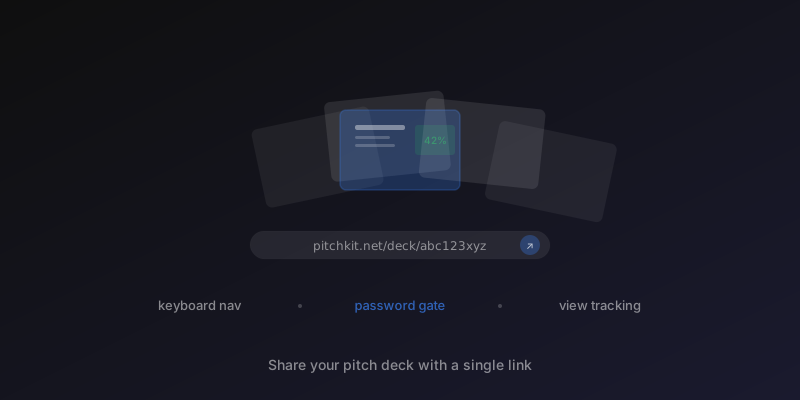
We built shareable pitch decks to fix this. You can now turn your pitch narrative into a visual, slide-based deck and share it with a single link.
How it works
You have written your pitch in Pitchkit. The sections are scored, the narrative is tight, and you are ready to send it to investors. Instead of exporting a flat document, you click "Share deck" in the pitch editor.
Three steps:
- Pick a template. Compact (5-6 slides), standard (8-10 slides), or full (12 slides). Choose based on how much detail your audience needs.
- Select your sections. Toggle which sections become slides. Every section with enough content is available. Leave out what does not serve your story.
- Set access control. Choose public (anyone with the link), password protected, or email gated. Password and email options are set right in the creation flow.
- Create and copy the link. One click generates a shareable URL. Send it in an email, a LinkedIn message, or a Notion doc.
The investor opens the link in their browser. No downloads. No account needed. They see a polished presentation with keyboard navigation, swipe support on mobile, and a fullscreen mode.
What the investor sees
Each section type gets a layout designed for its content. This is not a one-size-fits-all template where every slide looks identical.
- Traction renders as metric cards. Numbers are extracted and displayed prominently so an investor skimming the deck sees your growth at a glance.
- Market shows a hero number for TAM with secondary metrics below. The visual hierarchy matches how investors process market data.
- Team parses member information into a grid of cards. Names, roles, and highlights are structured instead of buried in paragraphs.
- Ask centers the funding amount with use-of-funds bullets below. Clear and direct.
- Financials displays structured data grids rather than walls of text.
- Everything else (problem, solution, product, competition, vision) gets a clean layout with an accent bar, bullet rendering, and two-column formatting on desktop when the content is long enough.
The cover slide pulls your company name, logo, funding stage, and the first sentence of your executive summary. The progress bar at the top shows where the investor is in the deck.
Access control
Not every deck should be public. You can control who sees it:
- Password protection. Set a password and share it separately. The investor enters the password before viewing.
- Email capture. Require an email address before granting access. You see who viewed your deck and when.
- View tracking. Total views and unique viewers are tracked for each deck.
This matters because fundraising is a pipeline. Knowing which investors opened your deck tells you where to focus your follow-up energy.
Why links beat PDFs
PDFs are static. Once you send one, that version lives forever in someone's inbox. If you update your traction numbers next week, the old PDF still shows last month's data. If an associate forwards it to a partner, you have no idea it happened.
A shared deck link solves these problems:
- Always current. Create a new deck when your narrative improves. The old link still works, but you can share the updated version.
- Trackable. You know how many times the deck was viewed. You know if the investor you emailed actually looked at it.
- No friction. No download, no file format issues, no "can you resend that as a Google Slides?" The link just works.
- Professional. The deck renders in a dedicated viewer with transitions, a slide menu, and branding. It does not look like a homework assignment.
When to use each template
Compact (5-6 slides): Cold outreach where you need to hook fast. Include your strongest sections: executive summary, problem, solution, traction, and ask. Skip the deep dives. The goal is to get a meeting, not close a round.
Standard (8-10 slides): Warm introductions and follow-ups. Include the full narrative arc. This is what most investors expect when they ask to "see the deck."
Full (12 slides): Due diligence stage or when an investor has already expressed interest and wants the complete picture. Market analysis, competition, financials, and detailed traction all included.
Match the template to the relationship stage. A partner who asked for your deck after a coffee meeting does not need the same detail as an analyst running diligence.
Print and PDF
The deck viewer includes print-optimized styling. Investors who prefer paper can print directly or save as PDF from their browser. Navigation controls hide, all slides display vertically, and page breaks land between slides.
You do not need to maintain separate PDF and web versions. One deck handles both.
Try it
Open any pitch in Pitchkit and click "Share deck" in the editor. Pick a template, choose your sections, and share the link. The whole process takes about 30 seconds.
If you are actively fundraising, create a standard deck for your warm pipeline and a compact version for cold outreach. Track which one gets more engagement. Iterate from there.
Shareable pitch decks are available on all plans. Password protection and email capture are included in Pro.
Enjoyed this article? Share it.