Most founders treat their pitch as a one-shot document. They write it, polish it, send it out, and wonder why investors aren't responding. The problem isn't the content. It's the process.
Good pitches aren't written. They're iterated. And there's a difference between "editing" and actual iteration. Editing is fixing typos. Iteration is systematically improving each claim until it can't be ignored.
The iteration mindset
Before you touch the editor, understand this: your first draft is not a pitch. It's a hypothesis. Every section makes claims about your problem, solution, market, or traction. Each claim needs to be tested against one question: does this give an investor enough information to make a decision?
If the answer is "maybe" or "it depends," you haven't iterated enough.
How to iterate in Pitchkit
Pitchkit is built around 12 sections: Executive Summary, Problem, Solution, Product, Market, Competition, Traction, Go-to-Market, Financials, Team, Ask, and Vision. Each section has specific criteria investors care about.
Here's how to use the editor for real iteration:
1. Write the first pass without overthinking
Open the Editor tab and go through each section. Write what you know. Don't worry about word count or perfection. Just get the core information down.
The guidance panel on the right shows what investors want from each section. Use it as a checklist, not a template. If your traction section mentions "growing fast" without numbers, you already know what's missing.
2. Run the analysis
Hit the Analyze button. The AI scores your section from 0-100 and breaks it down by criteria. A score under 60 means investors will likely skip past it. Between 60-80 means it's passable but forgettable. Above 80 means you've got something.
More useful than the score are the criterion evaluations. These tell you exactly what's weak and why. "Specificity: 45/100 - Claims growth without providing rate, timeframe, or baseline" is actionable. "Needs improvement" is not.
3. Fix the criteria, not the section
Here's where most founders go wrong. They see a low score and rewrite the entire section. That's editing, not iteration.
Instead, look at the individual criteria. If your Problem section scores low on Quantification but high on Clarity, don't touch the clarity. Add the numbers. The actionable panel shows estimated impact for each fix. Start with the highest impact items.
4. Use the diff preview before applying rewrites
When the AI suggests a rewrite, don't blindly accept it. Click to see the diff. Sometimes the AI adds filler or changes your voice. You want the improvement, not a different pitch.
The best approach: take the suggested structure but rewrite it in your words with your specific data. The AI shows you what investors want to see. You provide the substance.
5. Check the investor commentary
Each analysis includes stage-specific investor commentary. A pre-seed investor reads your traction slide differently than a Series A investor. If you're raising a seed round but your pitch reads like a Series A deck (detailed financials, aggressive projections), you're signaling the wrong things.
The commentary tells you what investors at your stage actually care about. Use it.
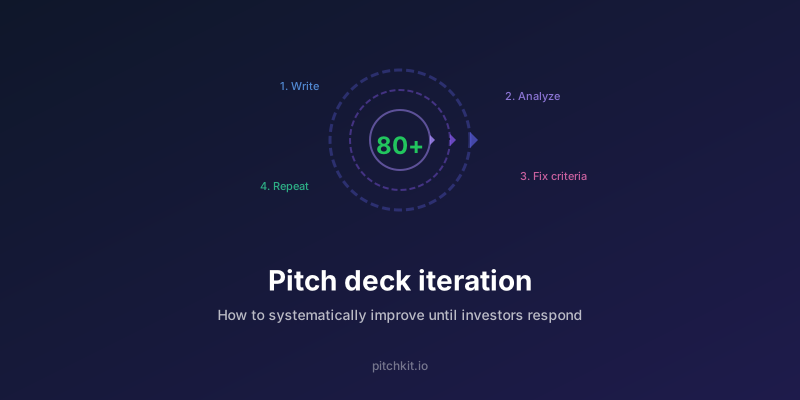
The iteration loop
Real iteration follows this pattern:
- Write content
- Analyze
- Read the criteria breakdown
- Fix the lowest-scoring criterion
- Re-analyze
- Repeat until 80+
Don't move to the next section until the current one is solid. A pitch with three strong sections beats a pitch with twelve mediocre ones.
When to stop iterating
You're done when:
- Every section scores above 80
- You can read any section aloud and it sounds like something you'd actually say in a meeting
- There's no claim without evidence
- An investor could understand your business from any single section
You're not done when:
- The AI says it's good (AI doesn't know your business)
- It looks polished (polish hides weak content)
- You're tired of working on it (investors don't care)
The practice test
After iteration, use the Practice tab. It generates questions investors are likely to ask based on gaps in your pitch. If you can't answer them confidently, you have more iteration to do.
A pitch that can't survive questions isn't ready for meetings.
Tl;dr
- Your first draft is a hypothesis, not a pitch
- Iterate by criteria, not by section
- Use the AI for structure, add your own substance
- Don't move on until each section scores 80+
- Test with practice questions before sending
Enjoyed this article? Share it.